Permissions are invisible, until they're wrong
When I joined 5X, the platform had a permissions system. Three roles. Hardcoded. It worked, until the product grew past the point where three labels could describe what anyone actually needed to do.
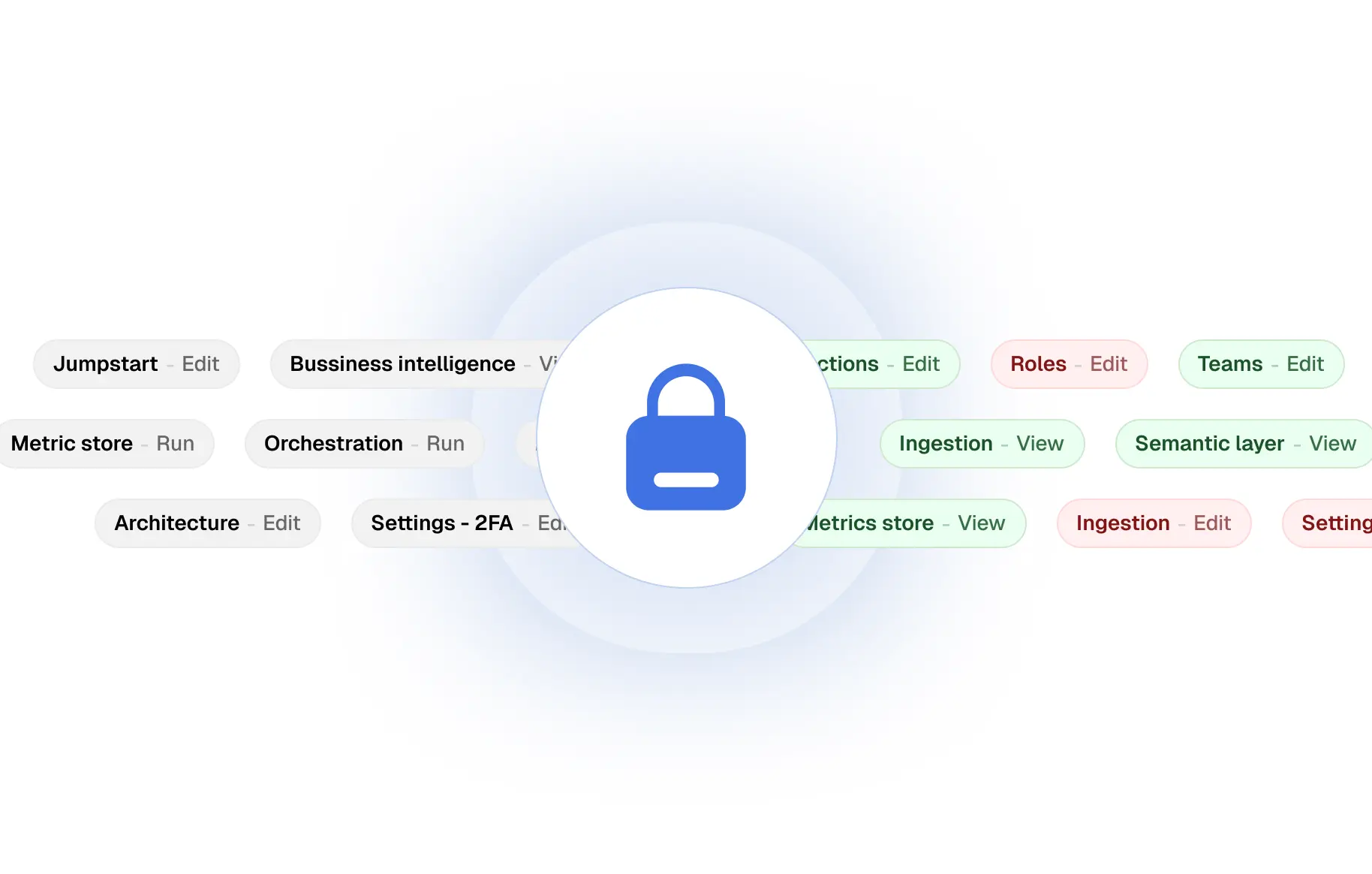
When things stood when I arrived
The existing system was simple by design. Three roles: admin, member, dev. The code checked for them directly, inline, wherever it needed to. It was the kind of thing that makes perfect sense early on and quietly becomes a liability as the product scales.
By the time I joined, 5X had grown. Teams were larger. Use cases were more varied. Some users needed to view pipelines but not run them. Some needed access to one workspace but not another. The three-role model couldn't express any of that. And the codebase had no single place that owned the question of who could do what.
Who are we actually building this for?
This is the question I put on paper first. Not "what should the roles be" or "how should we model resources." Just: who needs this to work, and what does "working" mean to each of them?
The answer had two clear groups. And I gave each of them a goal.
Every person using the platform (admins configuring roles, users navigating the product) had to be able to trust that the system was accurate. No surprises. No gaps. No "I didn't know I had access to that."
Every engineer on the team would need to implement permissions in their features. If checking permissions was awkward or inconsistent, people would do it differently everywhere. The API had to make the right thing the easy thing.
Three layers, one coherent system
I started from the inside out. The brain first, then the interface, then the UI for configuring it all.
The permission checker, aka the brain
A pure utility function. It took three things: the current user's permissions, the resource being accessed, and the action being attempted. It returned one thing: allowed or not. No side effects, no UI concerns. Just the logic, isolated and testable. This was the source of truth the entire system was built on.
The usePermission hook for engineers
Built directly on top of the checker. Any component could call it, pass a resource and an action, and get back a consistent response shape: allowed, reason, loading. Engineers never had to think about the underlying model. They just asked a question and got an answer. One hook, used everywhere, consistently.
The <Protect> component for composition
A compound component that wrapped any piece of UI. You declared what permission it needed, and it handled the rest: rendering the children if allowed, rendering a fallback if not. No conditional logic scattered across feature code. The architecture made it nearly impossible to forget a permission check.
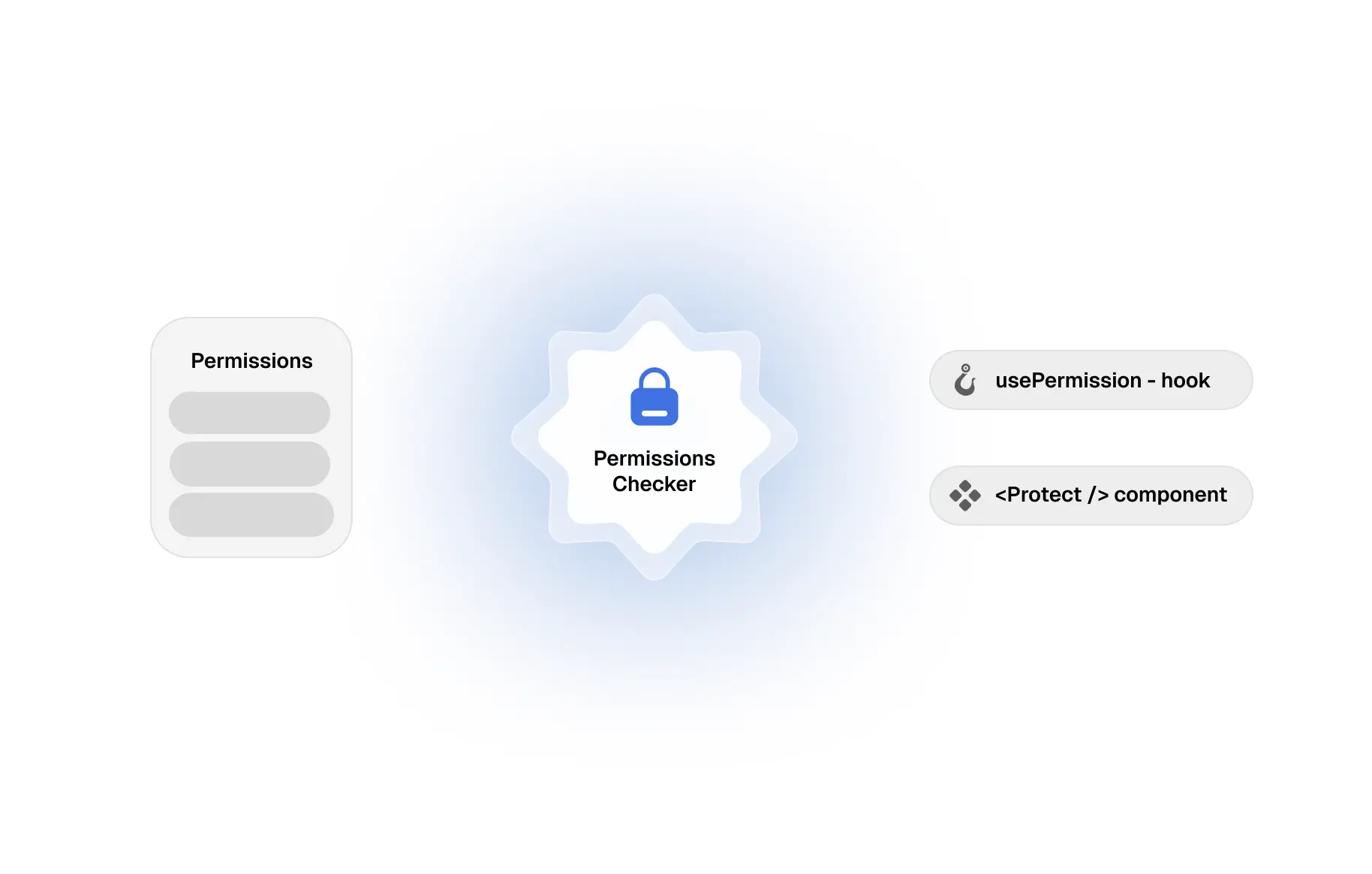
Building the checker as a pure, isolated function meant that the frontend components were just wrappers. They didn't care any logic. If the permission model changed, only one place needed to update... completely removed second-guessing, and unit tests ran synchronously.
Fine-grained control that didn't feel overwhelming
The system was only as good as what admins could actually configure. Fine-grained permissions can quickly become a wall of checkboxes that nobody understands.
The role creation UI was designed around a simple mental model: resources first, then actions within each resource, then entity-level exceptions. An admin could give a role view access to pipelines, edit access to only their own workspace, and no access to billing; all from a single, scannable screen.
Each resource was its own expandable section. Within it, you could set broad access or drill down to specific entities. The hierarchy mirrored how people actually think about access. "what can this person do with X" not how databases model it.
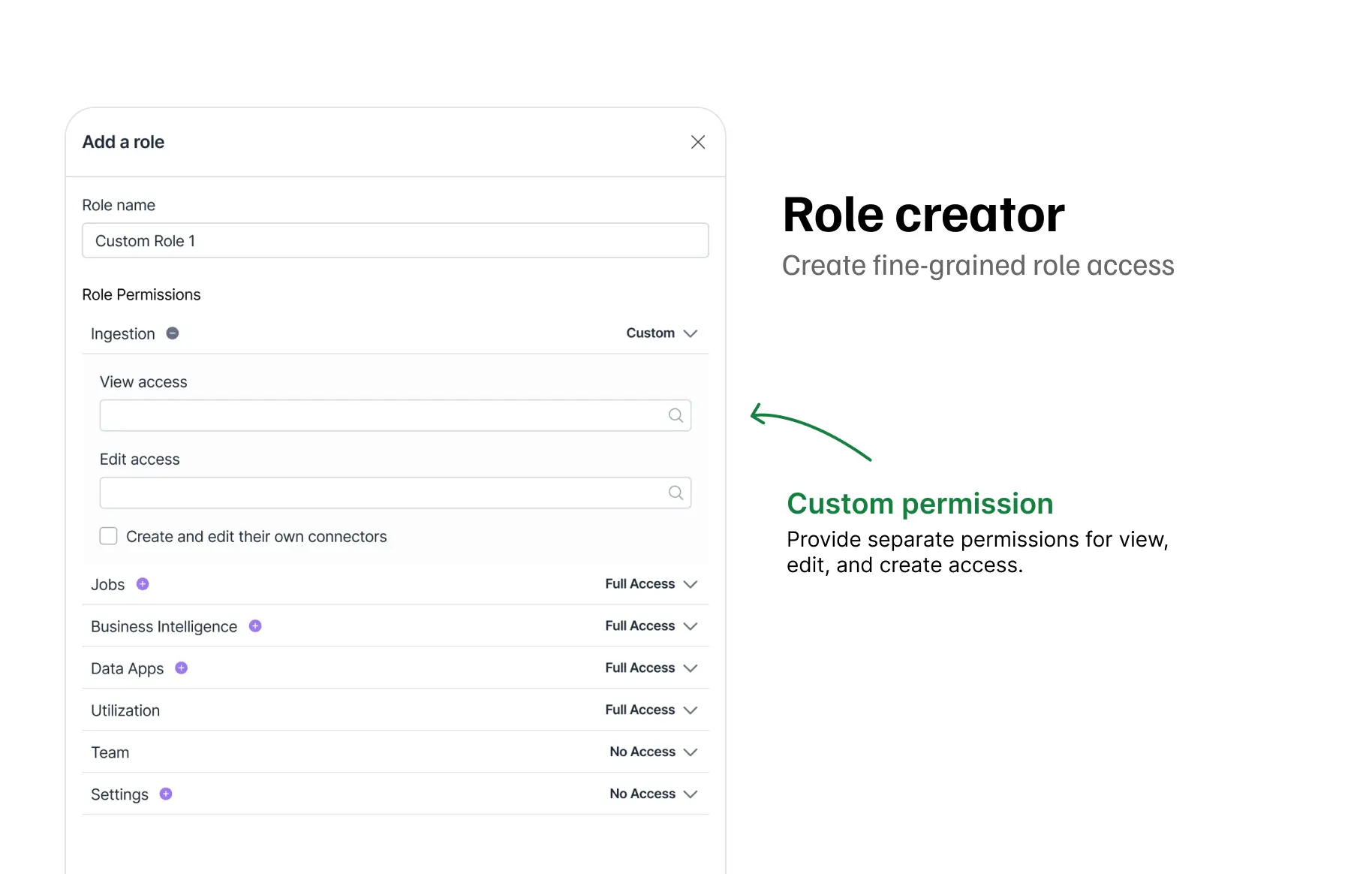
The UI wasn't just a configuration surface. It was also a communication tool. When someone looked at a role, they could understand it at a glance. That readability was as important as the functionality.
05 — the craft layerPermissions that feel like part of the product
The best permission UI is the kind users never notice. They just feel like the product knows who they are.
Every denied state had a reason. Not a generic "insufficient permissions" tooltip, but a specific, human message. "Only workspace admins can delete pipelines. Contact your admin to request access." The user understood what was happening, why, and what to do next.
06 — OUTCOMESWhat changed
Engineers shipped features behind RBAC with confidence because the pattern was clear and impossible to misuse. Admins configured roles without needing a walkthrough. Users understood their access without filing a support ticket.
The thing I'm most proud of: nobody complained about permissions. Not because the system wasn't restricting anything. But because the restrictions made sense, and the interface made them feel fair.
07 — REFLECTIONWhat I'd do differently
Admins eventually asked "who changed this role and when?" I hadn't designed for that question. A change history on the role editor would have answered it immediately. I'd build that surface from day one.
I designed the role editor based on my model of how admins think about access. I was mostly right. But "mostly" still meant two rounds of iteration that earlier testing would have compressed.
The lasting lesson: a permissions system is only as strong as the trust it earns. The logic can be airtight, but if the interface confuses people or the API is awkward to use, engineers work around it and users lose confidence. Get both right, and the security takes care of itself.